まず、メールアドレスがある場合は
メールをいつものように2つくる必要がある。
その設定を吐き出すには、移行を申請してから。
メールがなければ、ただ更新をストップしてもらえば良いだけ。
メールがあるので、告知後、
新サーバー情報発行 そのメール設定を送る
メール設定出来たら
切り替える
まず、メールアドレスがある場合は
メールをいつものように2つくる必要がある。
その設定を吐き出すには、移行を申請してから。
メールがなければ、ただ更新をストップしてもらえば良いだけ。
メールがあるので、告知後、
新サーバー情報発行 そのメール設定を送る
メール設定出来たら
切り替える
<p class="about_p box_anime">
<span class="box__line"></span>
<span class="dbold">会社名・店名で検索されるだけで十分ですか?</span><br>
訪問ユーザーはあなたの店名や会社名・サービス内容を知らないことを前提とします。<br>
FULLウェブデザインのホームページ制作は<span class="marker_orange">キーワードを決めて、検索エンジン対策(SEO対策)をして</span>制作します。<br>
<span class="dbold">検索順位に効く運営方法もご伝達いたします。</span><br></p>
<script>
$(window).on('scroll',function(){
$(".box_anime").each(function(){
let position = $(this).offset().top;
let scroll = $(window).scrollTop();
let windowHeight = $(window).height();
if (scroll > position - windowHeight + 180){
$(this).addClass('active');
}
});
});
</script>
//線アニメーション
//横は長いから これ
.transition5 {transition: all 5s ease;
-webkit-transition: all 5s ease;
-moz-transition: all 5s ease;
-o-transition: all 5s ease;}
//縦は短いからこれ
.transition3-1{transition: all 3s ease;
-webkit-transition: all 3s ease;
-moz-transition: all 3s ease;
-o-transition: all 3s ease;}
.box_anime {
// width: 200px;
// height: 200px;
//display: block;
margin: 0 auto;
position: relative;
overflow: hidden;
}
.box__line {
position: absolute;
}
//横
.box__line:nth-child(1),
.box__line:nth-child(3) {
width: 100%;
height: 2px;
.transition5;
}
//縦
.box__line:nth-child(2),
.box__line:nth-child(4) {
width: 2px;
height: 100%;
.transition3-1;
transition-delay: 2.5s;
}
.box__line:nth-child(1) {
top: 0;
left: 0;
//background: linear-gradient(to right, transparent, orange);
background: orange;
transform: translateX(-100%);
}
.box__line:nth-child(2) {
top: 0;
right: 0;
//background: linear-gradient(to bottom, transparent, orange);
background: orange;
transform: translateY(-100%);
}
.box__line:nth-child(3) {
bottom: 0;
left: 0;
//background: linear-gradient(to left, transparent, orange);
background: orange;
transform: translateX(100%);
}
.box__line:nth-child(4) {
top: 0;
left: 0;
//background: linear-gradient(to top, transparent, orange);
background: orange;
transform: translateY(100%);
}
.active {
.box__line:nth-child(1){
transform: translateX(100%);
}
.box__line:nth-child(2) {
transform: translateY(100%);
}
.box__line:nth-child(3){
transform: translateX(-100%);
}
.box__line:nth-child(4) {
transform: translateY(-100%);
}
}
スクロールでアクティブクラス
横線をトランジションで左右移動
トランジションディレイで送らせて
縦線を上下移動
http://www.d-marking.jp/
v=spf1 a:www427b.sakura.ne.jp +a:sv5036.xserver.jp mx ~all
チェックツール
https://www.kitterman.com/spf/validate.html
説明
https://mxtoolbox.com/SuperTool.aspx?action=spf%3astingmuzik.com&run=toolpage
<ul class="car_side_menu">
<?php $cats = get_categories(array(
'post_type' => 'post',
'taxonomy' => 'blog_chiiki' ,
//'orderby' => 'count',//順番は指定します
'hide_empty' => 1 ,//記事がなくとも表示
// 'pad_counts' => true,
//'depth' => 1,//子は表示しません。
));
$amounts = array();
foreach ($cats as $v):
$amounts[] = $v -> category_count;
endforeach;
array_multisort($amounts,SORT_DESC, SORT_NUMERIC, $cats);
?>
<?php if(!empty($cats)):
?>
<div class="d_tag_side">
<h3>作業日報 地域:</h3>
<?php
// echo "<pre>";
// print_r($cats);
// echo "</pre>";
//$counts = array();
?>
<?php foreach($cats as $tag) {?>
<?php
echo '<a href="'. get_term_link($tag->term_id) .'">'. $tag->name
.' ('. $tag->count
.")</a>
";
} ?>
</div>
<?php endif; ?>
</ul>
<br>
<br>
ライフサービス追加 サイドバー 日報地域だが
get categories のカウントが何故か効かない 並び替えがそもそもできない。なので強制並び替え成功コード
https://wpdocs.osdn.jp/%E9%96%A2%E6%95%B0%E3%83%AA%E3%83%95%E3%82%A1%E3%83%AC%E3%83%B3%E3%82%B9/get_categories
.single_foot_menu{
.flex_box;
.flex_center;
> li{.flex;}
li{ margin-right:12px; margin-bottom: 12px;
a{ display: inline-block;
//background: @site_color; color: #fff;
border: solid 1px #ccc;
color: #000;
padding: 6px 12px; font-size: 13px;
line-height: 2;
}
a:hover{ text-decoration: none; background: @site_color_hover; color: #fff;}
//かなり複雑になったが、
//wpリストカテゴリで子カテゴリがある場合、並び順を親の次に並ばせたいのでdeaps -1 では再現できなく、仕方なく、親のチルドレンを無理やり同じリストのように表示している モバイル再現できず
// .children{.flex;
// li{margin-bottom: 0}
// li:last-child{margin-right: 0}
// margin-left:12px;margin-right:0px; } //ここまで
}
li.current-cat{ > a{background: @site_color_hover; color: #fff;}}
.parent a{ background: #666666; color: #fff;}
}
@media screen and (max-width: 736px){
.jirei_other_cat{ padding: 0;
.h4_style.title_class2{font-size: 13px; padding: 7px 10px; margin-bottom: 12px;}
}
.single_foot_menu{
margin-bottom: 24px;
}
<ul class="single_foot_menu">
<?php //echo get_the_term_list($post->ID, 'built-cat','<li>','</li><li>','</li>' ); ?>
<?php
$parents = getRootTaxonomies( get_the_terms( $post->ID,"built-cat"), "0" );
foreach($parents as $pv){
//echo "<ul>\n";
echo '<li class="parent"><a href="/works-cat/'.$pv->slug.'">'.$pv->name.'</a></li>'."\n";
//echo "<li>\n";
foreach($pv->children as $ck=>$cv){
echo '<li><a
href="/works-cat/'.$cv->slug.'">'.$cv->name.'</a></li>'."\n";
}
//echo "</li>\n";
//echo "</ul>\n";
}
?>
</ul>
取説サイト
https://dl.tcd-theme.com/biz001/post-option/#i-2
デモ
まずわからなかったのでメモ
TOPページはインデックスを使ってでは、
マニュアルポストタイプ一覧が表示されない。
なので、表示設定で、top 投稿の一覧と選択しなければならない。
ページテンプレートを選べない仕様を見ると分岐しているのだろう。
なんというページを作成しても、大丈夫ということで、まさに、ページテンプレートで分岐している模様。
https://detail.chiebukuro.yahoo.co.jp/qa/question_detail/q10205889395
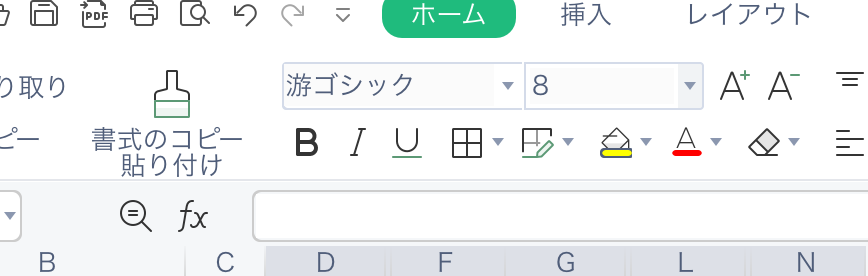
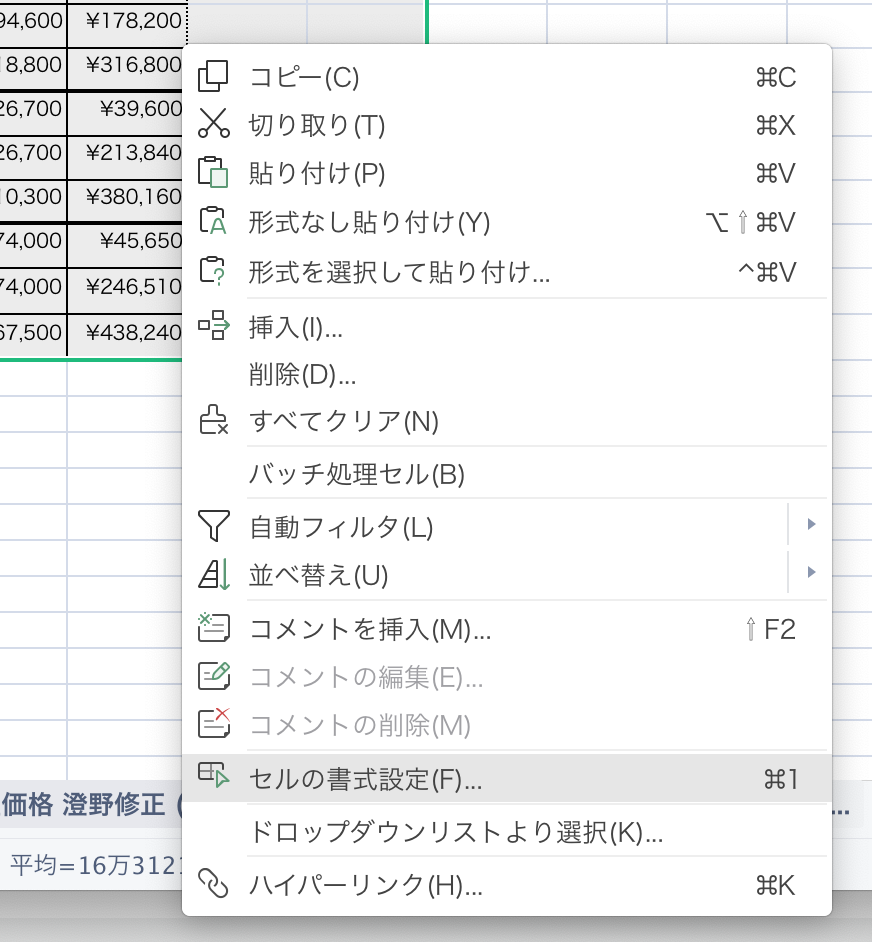
選んで右クリック セルの書式設定 通貨

はみ出ると 表示できないので
文字サイズを小さく
選んで 上のフォントと サイズを小さく

pdfで書き出して
これでコピペできます。
https://fctv.mitene.jp/mailsetting/windows10_pop.html
画像に
loading="lazy"
https://www.gaji.jp/blog/2022/03/23/9358/
モバイルのフッターメニューで、
テキストベースのメニューで
2段 1段が混ざると、結局高さが合わないので
2段よりに高さを指定するべし
ワンドリ
ファンク クリーンアップ
// インデックスと巡回の設定 */
function add_noindex_insert(){
if(is_singular('menu') or is_singular('site') or is_singular('d_contents') or is_singular('top_img')
//or is_singular('post') //ブログなしの場合のみ
)
{
echo '<meta name="robots" content="noindex,nofollow,noarchive">'."\n";
echo '<meta name="googlebot" content="noindex,nofollow,noarchive">'."\n";
}
/* 特定の固定ページ */
// if (is_page(array('slag名','slag名'))) {
// echo '<meta name="robots" content="noindex,nofollow,noarchive">'."\n";
// echo '<meta name="googlebot" content="noindex,nofollow,noarchive">'."\n";
// }
// /* 特定の投稿 */
// if (is_single(array('記事ID', '記事ID'))) {
// echo '<meta name="robots" content="noindex,nofollow,noarchive">'."\n";
// echo '<meta name="googlebot" content="noindex,nofollow,noarchive">'."\n";
// }
// /* カテゴリアーカイブ */
// if (is_category()) {
// echo '<meta name="robots" content="noindex,nofollow,noarchive">'."\n";
// echo '<meta name="googlebot" content="noindex,nofollow,noarchive">'."\n";
// }
// /* 検索結果 */
// if (is_search()) {
// echo '<meta name="robots" content="noindex,nofollow,noarchive">'."\n";
// echo '<meta name="googlebot" content="noindex,nofollow,noarchive">'."\n";
// }
}
add_action('wp_head', 'add_noindex_insert');
or
ヘッダー
<?php if (is_page('dsp-thanks') ||is_page('mail-thanks') //メールサンクスページは
|| is_post_type_archive('site') || is_singular('site') //siteページ
|| is_post_type_archive('menu') || is_singular('menu') //menuページ
|| is_post_type_archive('top_img') || is_singular('top_img') //seoページ
|| is_post_type_archive('d_contents') || is_singular('d_contents') //CFコンテンツページ
|| is_tax('page_cate')//固定ページのカレント用カテゴリ
):
//検索エンジンにページをインデックスさせない ?>
<meta name="robots" content="noindex">
<?php endif; ?>
かぶってるぞ 今!
welcart で追加したカスタムフィールドでは、できなかった、。
どうやって ジャバスクリプトでオンクリックで ネーム カスタムメンバー[名前] を取得するのかわからなかった。
JavaScriptで実現!入力フォームの値を取得してチェック
FAXを無理やり秘密のパスワードにした。
追記でfax欄は使うけど、一致したら消すっていう風にした。
テンプレートページのカートのサブミットに オンクリックを仕込む(多分オンクリックいらない?)
<input name="regmember" type="submit" value="' . __('transmit a message', 'usces') . '" onclick="return check()"
フォームに名前
<form action="' . apply_filters('usces_filter_newmember_form_action', USCES_MEMBER_URL) . '" method="post" onKeyDown="if (event.keyCode == 13) {return false;}" name="test_form">
メンバーページならページヘッダーにジャバスクリプトを仕込む
FAXの文字列等をジャバスクリプトで変更
<?php if($usces->item->post_name == 'usces-member') :?>
<script>
function check(){
if (document.test_form.fax.value == "makilab_guest"){
//条件に一致する場合(メールアドレスが入力されている場合)
document.test_form.fax.value = "";
//内容を消して
return true; //送信ボタン本来の動作を実行します
}else{
//条件に一致する場合(メールアドレスが空の場合)
alert("お伝えしたパスワードを入れてください。"); //エラーメッセージを出力
return false; //送信ボタン本来の動作をキャンセルします
}
}
</script>
<script>
$(function(){
var str = document.getElementById("fax_row").innerHTML;
str = str.replace("FAX番号","秘密の会員パスワード");
str = str.replace("1000-10-1000","お伝えしたパスワードを入れてください。");//これも不明
document.getElementById("fax_row").innerHTML = str;
});
</script>
<?php endif; ?>
CSSにて、会員ページ等のFAXを非表示 カスタムアドミン
/*welcart fax消す*/
#customer_fax_row,
#member_fax_row{display: none;}
ファンクション
function my_add_caps(){
//寄稿者
$role = get_role('contributor');
$role->add_cap('unfiltered_html');
//投稿者
$role = get_role('author');
$role->add_cap('unfiltered_html');
}
add_action('admin_init', 'my_add_caps');
RewriteEngine on # トップページのみリダイレクト RewriteRule ^$ /one-drip-lp/ [R=302,L] RewriteRule ^index.php$ /one-drip-lp/ [R=302,L]
コノハでSSLを使うには
//コノハ用
if(isset($_SERVER['HTTP_X_FORWARDED_PROTO']) and $_SERVER['HTTP_X_FORWARDED_PROTO'] === "https") {
$_SERVER['HTTPS'] = 'on';
}
/** Sets up WordPress vars and included files. */
require_once(ABSPATH . 'wp-settings.php');
これをコンフィグに必要
d-marking.comはxserverドメインにて、メールはx HPはこのはにしているため
サブドメイン追加時もDNSにて設定が必要 aレコード追加
もともとマルチサイトにしていたため、
分離させようと、DBを分けた。
メインの方のDBのデータベーステーブルとサブ(muisc)に分ける
どちらも同じDBをインポートするがmuiscはDBのwp_d_temp13_をコンフィグで指定する
また、
wp_d_temp13_ を参照するようにしたが、
ユーザーと名がつくデータベース2個は親のデータベースになってるため
名前を付け替え
さらにユーザーメタの
そのユーザーの権限のところも
同じく wp_d_temp13_となっているかチェック
結論から言うとサブドメインのせいか?マルチサイトだったせいかで
SSL化できてもログインできない
というところで終わった。
Sitemap settings can be setup for individual categories/tags overriding the global settings. Category/tag settings will be inherited by related posts.
もしかしたら 権限でも変更できるかも
ただむりやり消す
アップデート再実行必要
file:///Volumes/D-Marking%20Design%20SSD960G%2020150712/my_server/client/2022/makilab-saitou.com/wp-content/plugins/www-xml-sitemap-generator-org/code/categoryMetaData.php
の該当箇所をコメントアウト
フッターにスクリプト出力
読み込み遅らせる
プラグインキャッシュ
問題が混在した。
アニメーションでfade_up_conがスマホで表示されない件
答えは ヘッダーに書いてある
まさかの
<!–フリックスライダー–>
を script async type=”text/javascript” で遅らせた結果だった なぜ?これ関係ないやん と思っていたが
<script type="text/javascript" src="<?php //1が784 2が1042
echo get_template_directory_uri(); ?>/0_d/js/flickSlider_600.js"></script>
中身を開くと
///これはローディング画像を出すスクリプト後入れ//
window.onload = function(){
$(function() {
$("#loading").fadeOut(0);
$(".flickSlider").fadeIn(500);
});
}
最初にこれが書いてあって
フッターに書いてある
アニメーションも
<script>
//フェイドアップ
window.onload = function() {
scroll_effect();
$(window).scroll(function(){
scroll_effect();
});
・・・
となっており、
順番の問題なようだ。いや違う
window.onloadは上書きされるので
うまく行ってない状態だと
ローディング画像が適応で フェイドアップが無効だということ
そういえば ローディング画像でなくなったと思った事がある。。
http://www.d-marking.com/%E3%83%81%E3%82%A7%E3%83%83%E3%82%AF-%E3%82%A2%E3%83%8B%E3%83%A1%E3%82%A4%E3%83%88wow/
ここにメモが、。
window.onload 2回使いたい場合に
https://onedarling.site/programming/javascript/window-onload/
ここを参考
window.onloadを2つ以上使いたい場合は、addEventListenerを使えばOKです。
window.addEventListener('load', function(){
console.log('ロースを注文しました');
});
window.addEventListener('load', function(){
console.log('カルビを注文しました');
});
フッターにオープン用
<script>
///非同期を 読み込むためのもの ページスピード用
//webfont css等
(function(window,document){
// .lazy-cssを探します
var lazyCss=document.querySelectorAll('.lazy-css');
for(var i=0,l=lazyCss.length;i<l;i++){
// 一つずつ『stylesheet』に変更します
lazyCss[i].rel='stylesheet';
}
})(window,document);
</script>
該当css
<link href="/css/style.css" rel="subresource" class="lazy-css" />
https://www.zukoo.net/blog/detail.html?id=270
or
//スクリプトをフッター
function move_scripts(){
remove_action('wp_head', 'wp_print_scripts');
remove_action('wp_head', 'wp_print_head_scripts', 9);
remove_action('wp_head', 'wp_enqueue_scripts', 1);
add_action('wp_footer', 'wp_print_scripts', 5);
add_action('wp_footer', 'wp_print_head_scripts', 5);
add_action('wp_footer', 'wp_enqueue_scripts', 5);
}
add_action( 'wp_enqueue_scripts', 'move_scripts' );
上記でwordpressから出るのをフッターで
ヘッダー自主を非同期
<script async src="<?php echo get_template_directory_uri(); ?>/0_d/js/wow.min.js"></script>